




























Handing your phone to a friend or using AI in crowded metro trains feels risky when private chats sit open on screen. Many people share personal health queries or office work with artificial intelligence every day. OpenAI has now rolled out a smart ChatGPT Locked Chats feature to fix this privacy worry. This update officially arrived on October 20, 2026, for both phone and desktop users. Now you can hide sensitive chats behind a secret code.
How to Lock Any Conversation
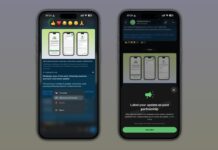
Using ChatGPT Locked Chats on your account is very simple. You just have to open any private conversation and tap the three-dot menu icon in the top corner. From that menu list, select the Lock Chat option.
Once you lock a conversation, the app removes it from your main sidebar history right away. Along this, you get complete privacy because the chat title also disappears from the search bar.
4-Digit PIN and Fingerprint Unlock
Every hidden conversation goes straight into a secret folder named Projects on your screen. To open ChatGPT Locked Chats, users must enter a personal 4-digit account PIN.
Mobile users also have the choice to use biometric security on their handset. You can open locked chats using your fingerprint sensor or face unlock on Android and iPhone. That means nobody can read your secret chats even if your phone is unlocked.
Separate Memory Keeps Details Safe
A big fear among users is whether AI memory will leak secret data into regular chats. OpenAI solved this issue neatly with ChatGPT Locked Chats. When you lock conversations, the system builds an isolated memory space for those chats.
Any new information you share inside locked threads stays inside that private folder only. It never mixes with your regular chat memory during daily work.
Big Warning on Forgotten PIN
Before using ChatGPT Locked Chats, you must remember one strict rule about your security PIN. If you forget your 4-digit code, there is no way to read those chats again.
Resetting a lost PIN will permanently delete all your locked conversations along with attached files. However, if you remember your current PIN, you can change it safely anytime without losing old chat data.
Availability on Free and Paid Plans
OpenAI is releasing ChatGPT Locked Chats for all users in the market right now. You do not need a costly monthly subscription to use this security tool. Free plan users get it along with Plus and Pro members.
It works across the web browser, plus the official Android and iOS mobile apps. Compared with WhatsApp Chat Lock, ChatGPT Locked Chats gives the exact same peace of mind to AI users, whereas temporary chats cannot use this lock.