























Many blue app icons on your phone home screen look almost the same when you unlock your mobile fast. People often tap the wrong blue icon by mistake when they want to read a bank OTP text.
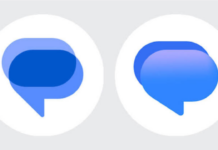
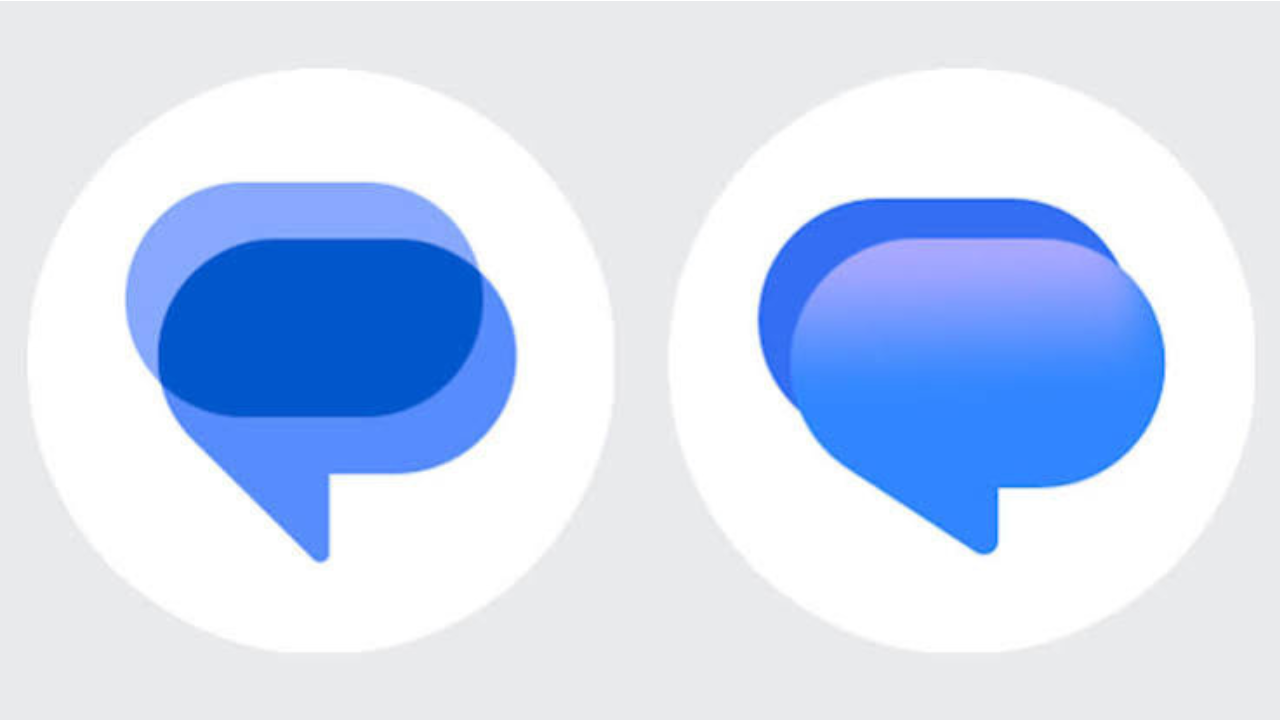
Google is now giving its default SMS app a fresh look with the new Google Messages Gradient Icon. This updated logo has started showing up for Android testers inside the latest beta release on November 2, 2026. Regular users will also get this colourful home screen icon in the stable Play Store app soon.
New Purple Glow and Darker Blue Back Bubble
At first glance, the app keeps its familiar two speech bubbles so users can still spot it easily. Inside the new Google Messages Gradient Icon, the company swapped flat colours for a smooth shaded glow. A soft purple shade now sits right in the middle where the two chat bubbles overlap.
Company gave a darker blue colour to the back bubble this time instead of the front one. Meanwhile, the front chat bubble stays bright blue and matches the modern look of Google Chat.
Part of Google’s Gemini AI Visual Redesign
Over the last one year, Google has slowly changed the logos of many popular Android apps in market. This new colour style comes straight from the company’s big Gemini AI design push across phones. That same purple and blue glow now sits inside the new Google Messages Gradient Icon.
Workspace office tools like Google Chat and Docs got this shaded icon style first. Later, the company brought the same gradient paint job to Google Wallet along with the Pixel Buds app.
Partial Text Copy and New Swipe Gestures
Visual changes are not the only new upgrades arriving inside the default Android text app this month. Alongside the Google Messages Gradient Icon, testers recently got a very useful long-press menu in chats. You can now copy just a few words or a house number instead of copying the whole message.
Along this, you get a new swipe gesture to check exact message delivery times and reply fast. Users also have an Enhanced Protection mode that blocks fake bank links and faltu spam texts automatically.

How to Test the Beta Update on Your Phone
Right now, only people enrolled in the official Play Store beta program can see this new logo. Your phone needs the latest beta build numbered 20261030_00_RC00 to unlock the Google Messages Gradient Icon. This small update file whose size is around 60MB downloads in seconds over mobile data.
You can join the beta test for free from the Google Play Store page on any Android phone. Because it is a simple system app, it runs smoothly all day on single charge without background drain.
When Will All Android Users Get This Icon?
Google usually tests new visual changes with beta users for upto three weeks before a full launch. Even if you use a paid cloud plan whose price is $1.99 (around Rs 165), app updates stay free. All Android phones from Samsung along with OnePlus and Pixel will get this icon soon.
This fresh Google Messages Gradient Icon is given for those who like a clean and modern home screen. Google’s default SMS app looks much fresher comparing with old factory dialer icons, whereas chat features stay unchanged.
Also read: WhatsApp Update Adds Four New Group Chat Features, Including Permanent Message Pins