































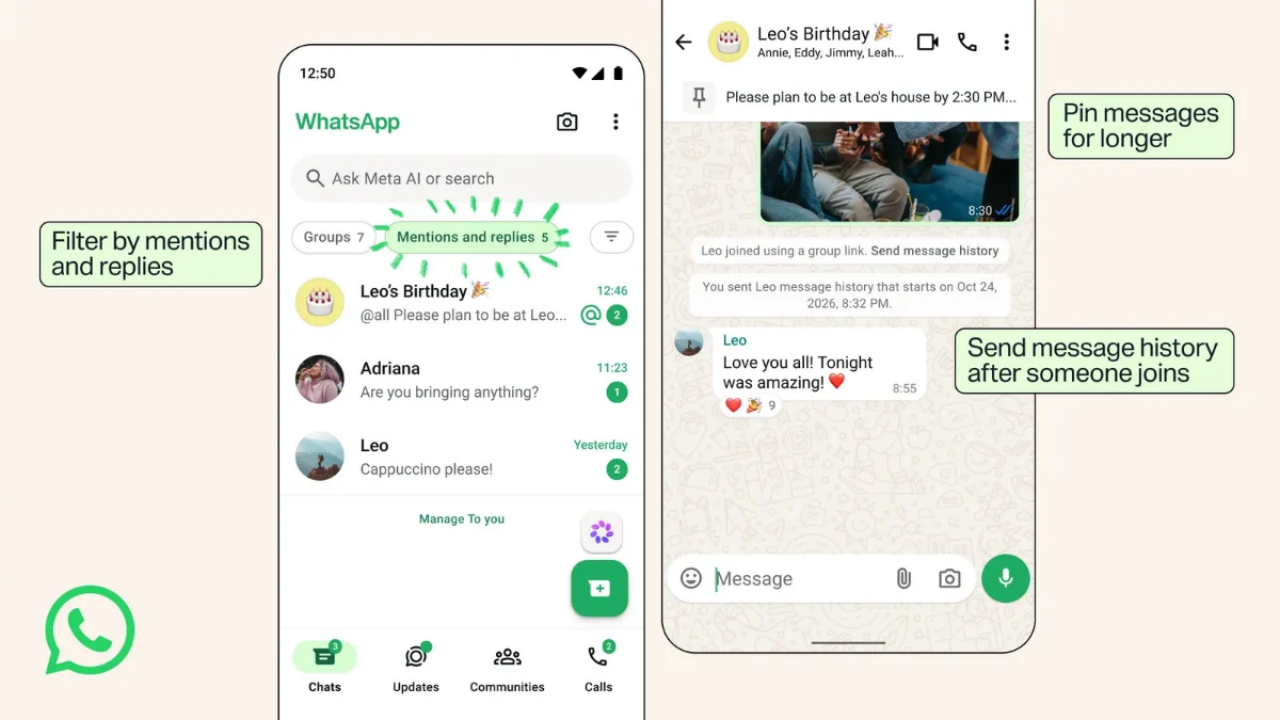
Managing busy family groups, housing society chats and office WhatsApp groups is often a chaotic experience. Important announcements get buried under hundreds of “Good Morning” images and random forwards within a few minutes. Because of this chat clutter, Meta has introduced four useful group tools to keep conversations organized.
WhatsApp have officially rolled out four new features for group chats on Android and iOS . The biggest upgrade allows users to pin messages permanently using a brand new “Always” option. In this article, you will get complete details about all four group features and how to use them.
WhatsApp 4 New Group Features Overview
| New Feature | Key Benefit |
|---|---|
| Permanent Message Pins | Pin messages forever with the new “Always” option |
| Flexible History Sharing | Send recent messages to a member even after they join |
| Group Status Updates | Share 24-hour Status visible only to specific group members |
| Mentions & Replies Filter | Filter unread group chats by @mentions and direct replies |
| Platform Availability | Android, iOS, and Web (Rolling Out Now) |
Pin Messages Permanently With the “Always” Option
The first thing you notice looking at this update is the new permanent pin option. Previously, WhatsApp forced you to choose an expiry duration of 24 hours, 7 days or 30 days.
Once the timer expired, the pinned message disappeared automatically from the top banner. However, users can now select the new Always setting to keep a message pinned forever. Therefore, important notices like apartment rules , UPI QR codes and event addresses stay visible until you unpin them manually.
Share Recent Chat History After Joining
Earlier this year, WhatsApp introduced a feature to share recent chat history with new members. But previously, admins had to enable this toggle before adding the person into the group.
With the latest update, WhatsApp has made this history sharing much more flexible. Now, you can share recent messages with a new member even after they have joined. You simply tap on the person’s name inside the chat and send recent messages with one click.
Group-Specific Status Updates
Until now, WhatsApp Status updates were visible to all your saved phone contacts. If you wanted to share a photo only with office colleagues or travel friends, you had to change privacy settings manually.
Along this, WhatsApp now lets you post Status updates directly inside a specific group. These group status posts remain visible fir 24 hours only to members of that group. In addition, it keeps personal family photos separate from work groups.
Mentions and Direct Replies Filter
Waking up to 500 unread messages in an active group chat is very frustrating. Most of those messages are chit-chat that does not concern you directly.
To solve this headache, WhatsApp added a new message filter inside group chats. By tapping this filter, you can instantly see only direct replies and @mentions directed at you. As a result, you can catch up on important work messages without reading every single chat line.
Useful Admin Controls for Group Pins
If you manage a large group, you can also control who gets permission to pin messages. By default, every member can pin a message to the top banner.
However, group admins can head into Group Settings and restrict message pinning to admins only. This prevents random members from replacing important rules with unimportant jokes or memes.
How to Get These New Features on Your Phone
Meta has started rolling out these four group features globally on Android and iOS. Some users have already received them, while others will see them over upcoming weeks.
To get these updates, make sure you update WhatsApp to the latest version from Google Play Store or Apple App Store . Overall, these four tools make managing large WhatsApp groups much simpler and cleaner. So keep these new features in mind while managing your daily group conversations.
Also read : OnePlus Buds Pro 4 Listed With Dynaudio Sound and 53-Hour Battery
Latest on Unfite : Zomato to Introduce Mehmaan Mode to Hide Food Prices While Guests Order